

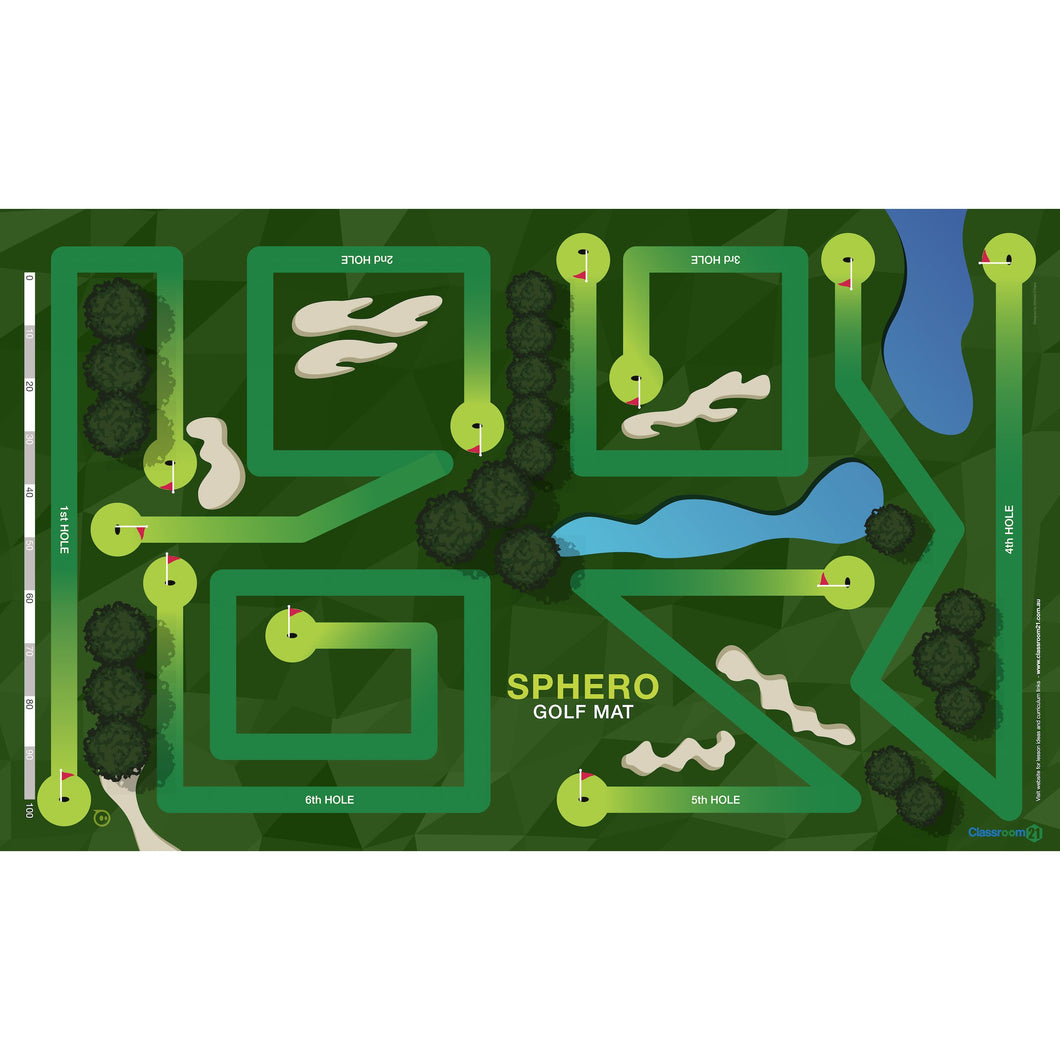
Sphero Golf Mat - Incredible Vinyl Floor Mat
Designed for Sphero SPRK+, Sphero Mini, Sphero BOLT and Sphero BOLT+.
An incredible vinyl floor mat (1220mm x 2010mm) with 6 reversible golf hole maze activities that links coding across the curriculum with the Sphero.
Sphero Golf Mat Features
Part of the amazing and extensive range of Sphero activities, the Sphero Golf Mat is a special edition mat with 6 reversible golf hole mazes which means that there are 12 challenging activities in total on the mat. Every child with their Sphero can connect to the Sphero Edu app, which is available to be downloaded from the Apple Store, Google play, and the Chrome Web store. Once downloaded, the Sphero will connect automatically via Bluetooth connection (so make sure you have your Bluetooth switched on). All angles, geometry, functions and designs have been carefully constructed to strengthen children’s coding and computational thinking ability through a reliable trial and error process.
For a handy, suggested algorithm to work along with in solving the first hole, check out the Sphero Golf Mat – Hole 1 program on the Sphero Edu app!
How to use your Sphero Golf Mat
The way you should use the Sphero Golf Mat is with 2 groups of 2 pupils, at any one time, each with a Sphero in their possession. Ensure that the Sphero Golf Mat is laid down on somewhere flat in the classroom or home for optimal usability. Students have to program their Sphero from one golf hole, along the carefully designed, complexly shaped fairways to the respective holes at the end of them.
For students who are aged between 8 to 16 , they should employ the use of a Blocks or Text project in the Sphero Edu app. This allows them to fully explore each reversible hole maze, promoting further learning about speed, distance, time, angles and bearings.
To get twice the challenge, try figuring out each of the courses backwards!
Golf Tournament
You could also create a par score for each hole. This could be a time based score or limit how many blocks in their program to reach par. Fewer blocks can score Birdies and Eagles. Additional blocks can score Bogeys etc.
While completing each hole take images and videos as evidence that you have completed it. It's always good to share your successes!
- Easy to use - Simply roll out the mat, place robots on the mat, open the Sphero Edu app, connect robots and start playing
- Create algorithms, problem solve and debug using the Draw, Block or Text projects, while Sphero navigates through each engaging activity
- Designed for classroom use and made from robust vinyl for durability
- Wipe clean, tough wearing surface
- Sphero Activity Mat is best used with a group of students and at least two Spheros
- Recommended for ages 4 - 16 (and up)
- Dimensions: 1220 x 2010 mm